You can add StatementPro.ai to your own ChatGPT as a custom connector, then ask ChatGPT to convert a statement. It shows you the cost first, and once you say yes, it gets the transactions back as CSV or JSON.
Before you start
- A StatementPro.ai account with any credit pack. The 5 free credits that come with a new account work in the web app only.
- A ChatGPT plan with custom connectors. Custom connectors aren't on every ChatGPT plan, and on some plans an admin has to turn them on. Check OpenAI's help for your plan.
- Write access for the connector. Converting spends credits, so check that your plan lets custom connectors take actions, not only read data.
Steps
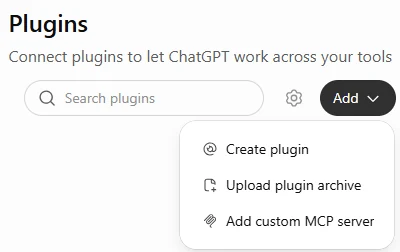
- In ChatGPT, open Plugins from the sidebar, then choose Add → Add custom MCP server.
- Name it StatementPro.ai, enter
https://statementpro.ai/v1/mcpas the server URL and leave authentication on OAuth. Tick I understand and want to continue, click Create as a plugin, then Continue to StatementPro.ai.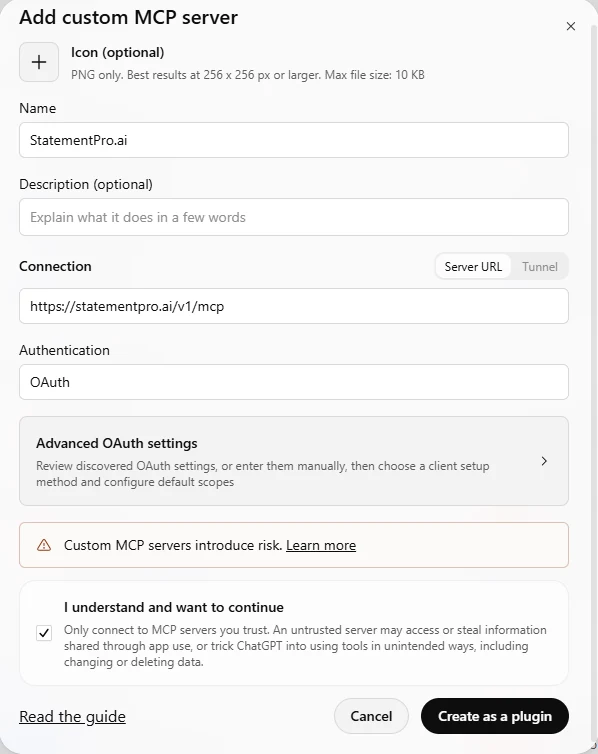
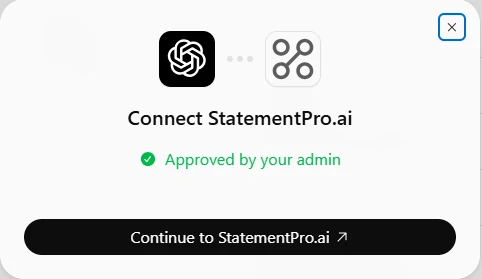
- A StatementPro.ai page opens. Sign in with the code we email you if asked.
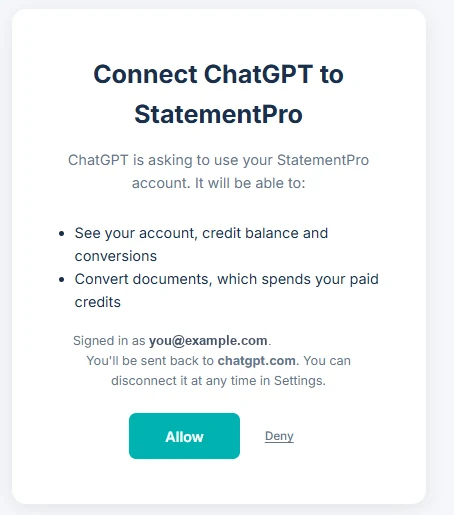
- The approval screen says "Connect ChatGPT to StatementPro" and lists what ChatGPT can do: see your account, credit balance and conversions, and convert documents, which spends your paid credits. Click Allow.
- Back in ChatGPT, click Try in chat on the plugin, or type @StatementPro.ai at the start of your message.
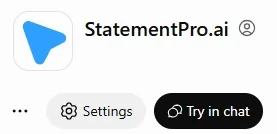
In a ChatGPT workspace, an admin may need to add or allow the connector first.
ChatGPT's menus differ by plan and change often. If you don't see Plugins or Add custom MCP server, follow OpenAI's help.
Convert a statement
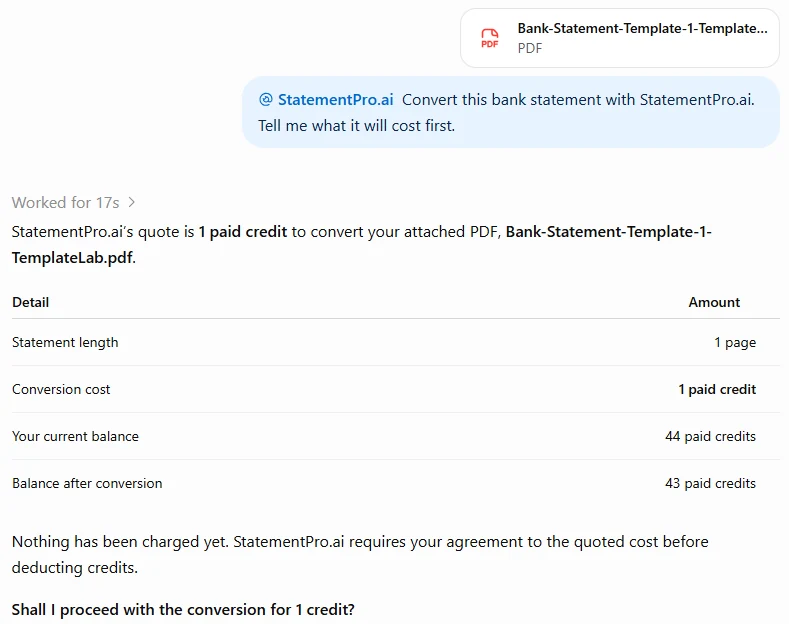
Ask ChatGPT something like: "Convert this bank statement with StatementPro.ai. Tell me what it will cost first."
ChatGPT usually passes the file you attach straight to StatementPro.ai. If it can't, it gives you an upload link. Open it while you're signed in to StatementPro.ai, upload the statement and go back to ChatGPT to say it's uploaded. Each link works once, within one hour, for one PDF, PNG or JPEG file up to 25 MB.
ChatGPT replies with the page count, the credits it will cost and your balance. Nothing is charged yet.
Say yes and StatementPro.ai converts it. Most statements take a few minutes; if it's still running, ask ChatGPT to check again.
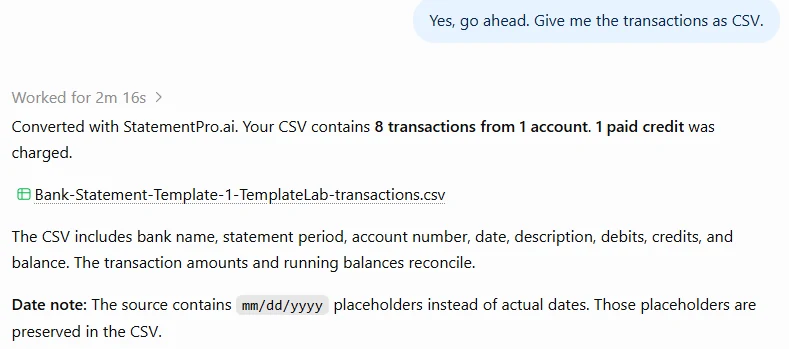
- Results come back as CSV or JSON. Excel, QuickBooks and Xero files are downloads in the StatementPro.ai web app.
- ChatGPT sees conversions made through an assistant or the API, not statements you uploaded on the website.
Cost
Each conversion uses 1 purchased credit per 10 pages, rounded up: a 4-page statement costs 1 credit and a 23-page statement costs 3. If a conversion fails, its credits go back to your balance.
Privacy
You approve the connection on statementpro.ai, and ChatGPT never sees your StatementPro.ai sign-in. Transactions ChatGPT fetches appear in your conversation, where OpenAI's terms for your plan apply. Our Privacy Policy explains how we handle statements. To remove access, see Disconnect an AI assistant.
If something goes wrong
- You can't find Add custom MCP server: your plan may not include custom connectors, or an admin may need to turn them on. Check OpenAI's help.
- The approval page says connecting needs a credit pack: buy any pack, then connect again.
- The page says "This link has expired": go back to ChatGPT and start connecting StatementPro.ai again.
- ChatGPT can get a quote but can't convert: your plan's connectors may be read-only. Check OpenAI's help for your plan.
More fixes are in AI assistant troubleshooting.
Connect ChatGPT with any credit pack
Any pack unlocks AI-assistant connections, the API and every download format.
See credit packs